Onboarding a business district by hand isn’t slow — it’s impossible. I designed the self-service flow that replaced it.
{{ st.l }}
{{ st.v }}
↓ scroll
Product Overview
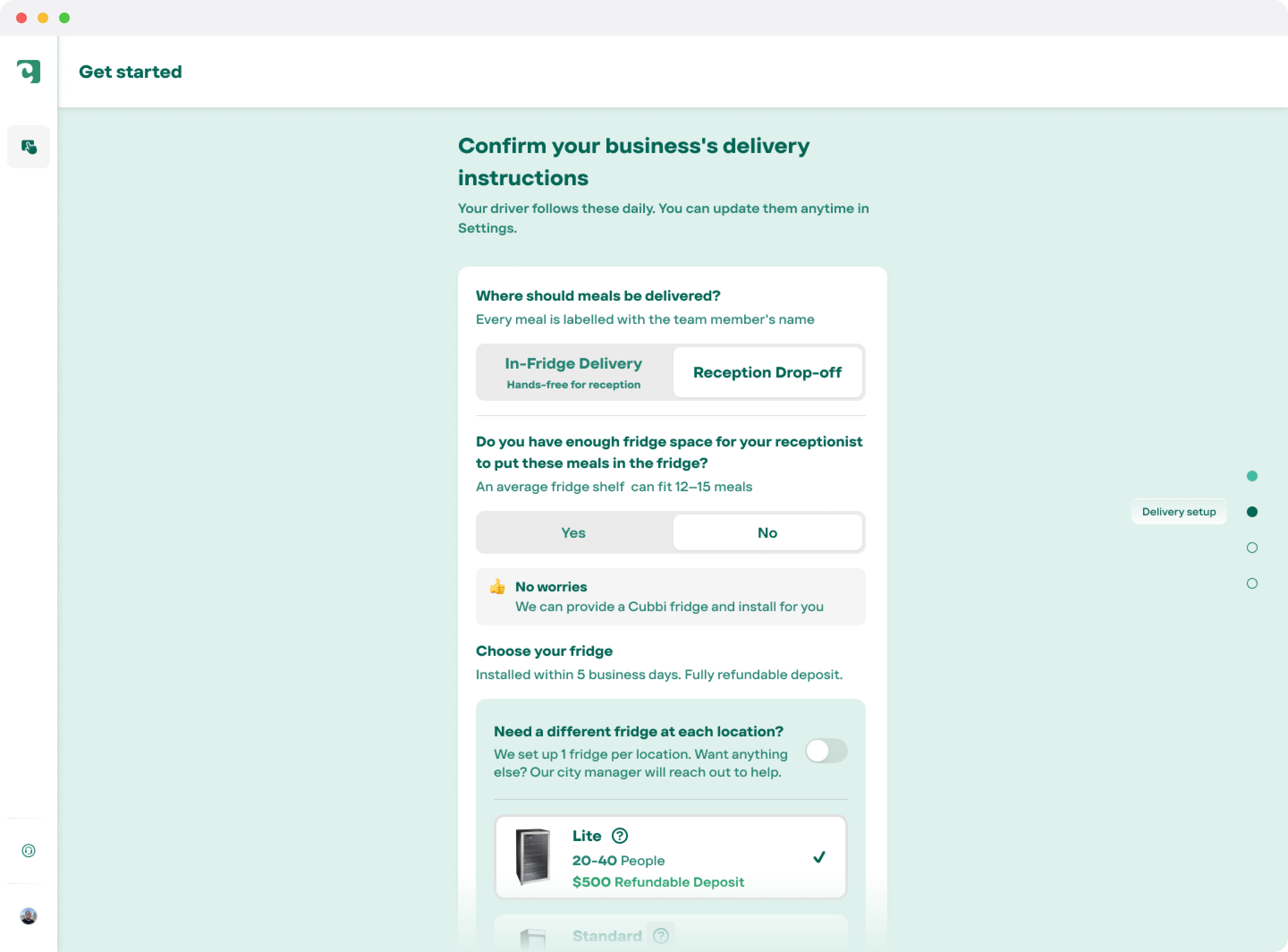
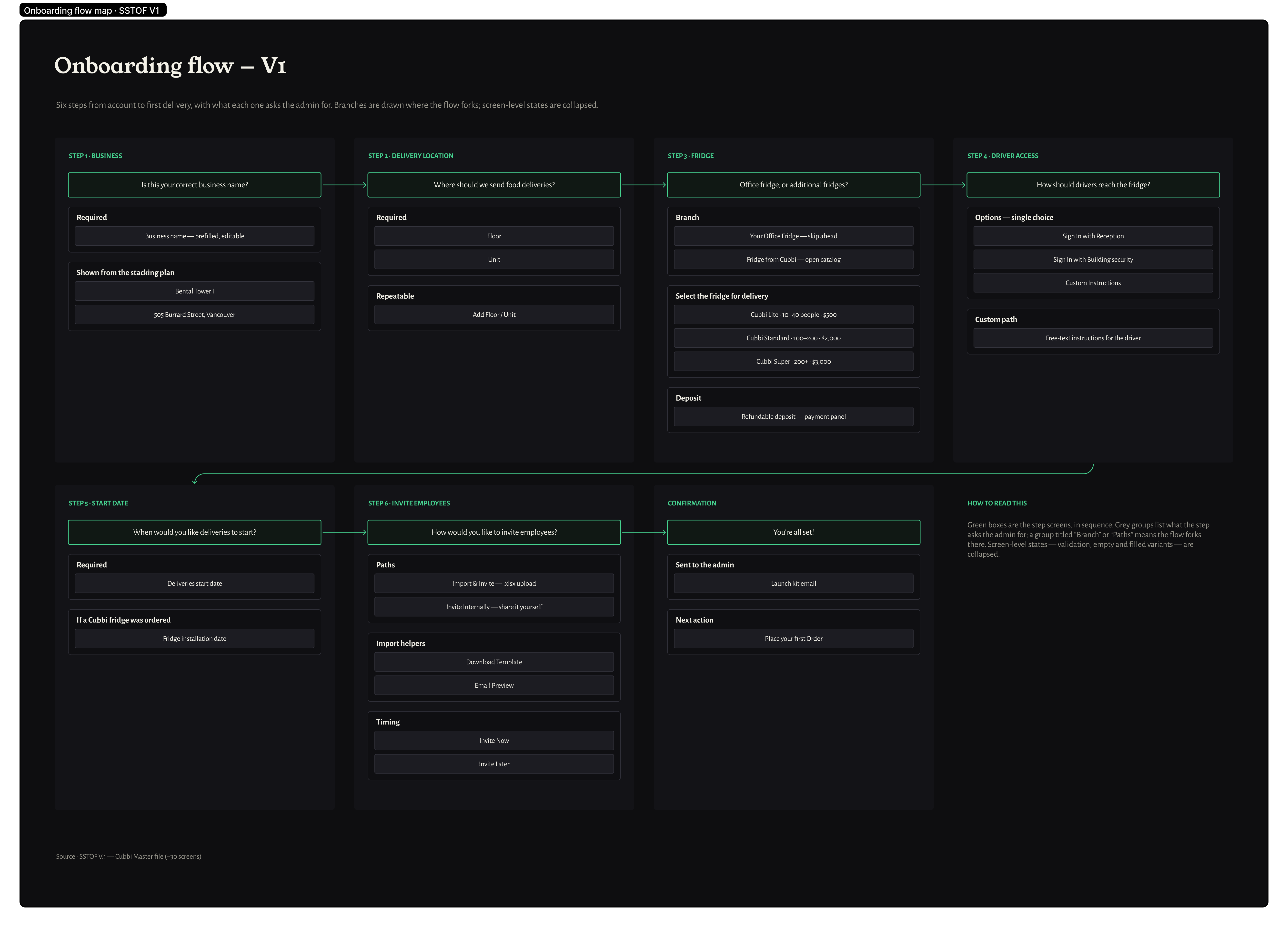
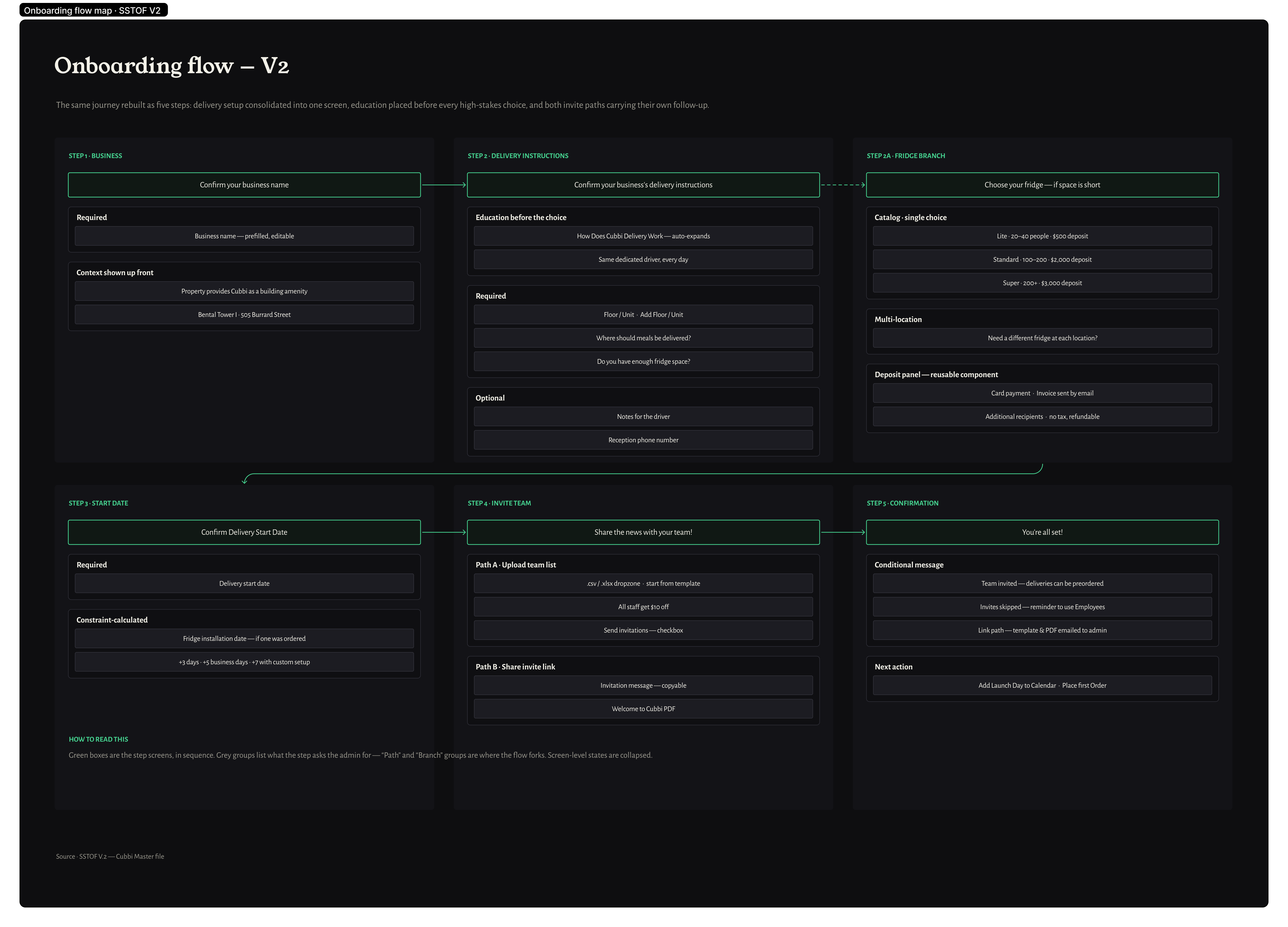
SSTOF — the Self-Service Tenant Onboarding Flow — is a five-step wizard: confirm the business, set up locations and fridge, pick a constraint-calculated start date, invite the team. Activation starts with the building management’s email to its tenants; non-standard setups route to the city manager automatically.
The forcing function was Vancouver: one tower can bring 140 tenant companies at once, and at an hour of Account-Manager onboarding per company that’s two months of manual work — for one building. SSTOF made onboarding parallel and self-served instead of serial and AM-bound.
There was no PM on this initiative — I covered flow logic, copy, design, and cross-team coordination, with a lead engineer checking feasibility.
Timeline — March 2026: field test to handoff
{{ t.t }}
Week 1
Week 2
Week 3
Week 4
Research methods
{{ m.t }}
{{ m.d }}
Users
{{ a.quadrant }}
{{ a.name }}
{{ a.roleLine }}
When{{ j.w }}
I want to{{ j.i }}
So I can{{ j.so }}
{{ j.note }}
Stage
User action
Emotion
Pain point
Design response
{{ st.num }}{{ st.name }}
{{ st.action }}
{{ st.emotion }}
{{ st.pain }}
{{ st.response }}
Problems
{{ p.n }}
{{ p.descPre }}{{ p.descHl }}{{ p.descPost }}
+
Key Decisions
{{ d.fig }}
{{ d.tPre }}{{ d.tHl }}{{ d.tPost }}
+
The Outcomes
{{ o.n }}
{{ o.delta }} {{ o.delta2 }}
+
The Learnings
{{ l.n }}
{{ l.tPre }}{{ l.tHl }}{{ l.tPost }}
+